Active TRP
Total Radiated Power workflow for an active (transmitting) DUT.
What you need
- A WTL
.txtfile with H/V power per ($\theta$, $\phi$) cell - The DUT's conducted power in dBm (to compute efficiency)
- Optional: cable loss in dB
In the GUI
- Scan type: Active
- Set
Conducted Power (dBm)— defaults to 4 dBm; this is the level at the DUT antenna input, not at the source - Set
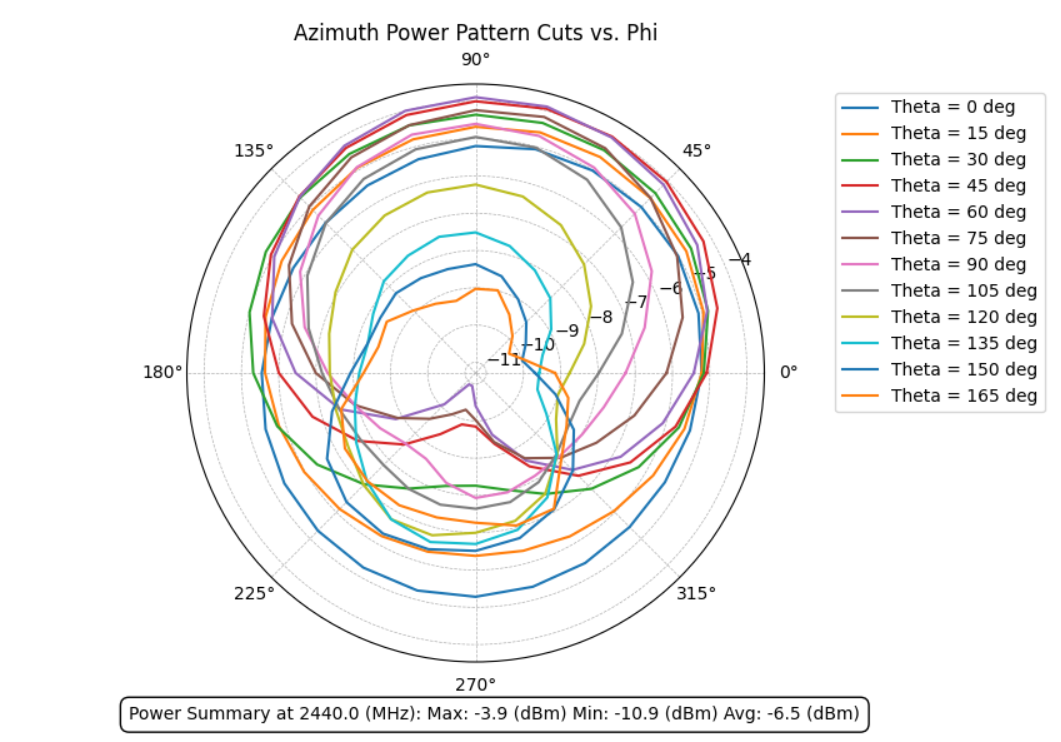
Cable Loss (dB)if applicable — added back to measured power Ctrl+Oand pick the active-TRP file- Plots render: 2D azimuth/elevation cuts, 3D pattern with turbo colormap, datasheet-style summary
What you get
| Metric | Where it appears |
|---|---|
| TRP_dBm | Status bar + DOCX summary table |
| H-TRP / V-TRP | Polarization-split TRP |
| Total efficiency | TRP / conducted power (linear), expressed in % |
| Max / min / avg gain | Sin-weighted spherical statistics |
| 3D radiation pattern | turbo colormap, DUT orientation triad (X=green, Y=red, Z=blue) |
| Maritime stats (if enabled) | Horizon-band gain, maritime power fraction |
Math validation
RFlect's TRP uses IEEE-standard solid-angle integration with the $\sin\theta$ Jacobian:
$$\text{TRP} = \frac{1}{4\pi} \int_0^{2\pi}!\int_0^{\pi} P(\theta,\phi)\,\sin\theta\,d\theta\,d\phi$$
Verified to within 0.002 dB of the Howland 3100 chamber's own report on reference measurements.
Batch / MCP
Process every TRP file in a folder:
This runs batch_process_active_scans over the folder and (optionally) generates a DOCX report. See Recipes.
Common gotchas
- Conducted power matters. Efficiency is wrong if you enter the source-side power instead of the DUT-side power.
- Cable loss is positive. Loss is what the signal loses between DUT and receiver — add it back to compensate.
- TRP at a single frequency only — if you need TRP vs frequency, use multiple active scans.
See also
- Concepts → TRP
- Maritime / Horizon plots
- Cal Drift — track active-cal stability over time